Varneon's VRChat World Development Handbook
Due to overflowing amount of information about VRChat world development in my head I tend to forget things easily. This book is a place where I will put most of that information in so it's available more easily for everyone, including myself.
Highlighting Objects from Udon
If you are looking for a way to draw the user's attention to certain objects in your world, you can use the VRChat's native highlighting feature to set the highlighted state of any object or renderer.
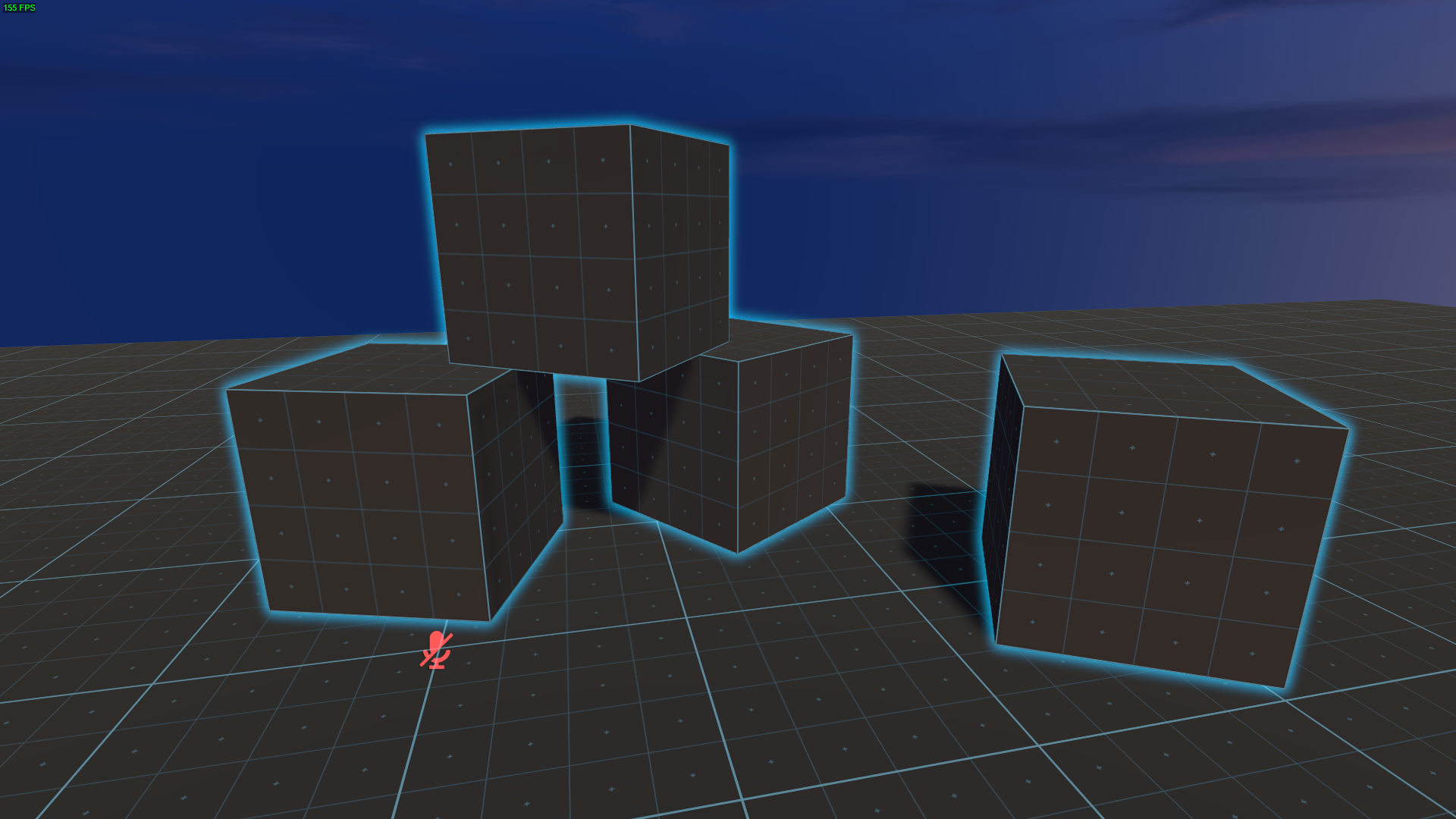
NOTE: Hovering state changes on VRChat's interaction highlights will override the current state of the highlight set from Udon and vice versa.
// Highlights a GameObject using any renderer on the object if one exists
VRC.SDKBase.InputManager.EnableObjectHighlight(GameObject obj, bool enabled);

// Highlights a Renderer
VRC.SDKBase.InputManager.EnableObjectHighlight(Renderer r, bool enabled);
Layers
What are the different layers used for in VRChat? What special properties of some specific layers should you know?
Below I've listed the currently used (+ reserved) layers and their use cases based on experimentation using my layer inspection tools.
My layer research is currently ongoing and information on this page may still be incomplete!
Any object set to 19-21: reserved2-4 will be forced to 0: Default on build (You can still manually force the layer during runtime)
| No | Name | Visual elements | Notes |
| 0 | Default |
|
Default layer |
| 1 | TransparentFX |
Used for Unity's Flare Assets |
|
| 2 | IgnoreRaycast |
Ignored by Unity's Physics Raycasts if no layer mask is provided. Not ignored by VRChat's Physics Raycasts |
|
| 3 | reserved3 | ||
| 4 | Water |
|
|
| 5 | UI |
|
Interactive objects on this layer can't be interacted with unless the menu is open Colliders of remote players exist on this layer |
| 6 | reserved6 | ||
| 7 | reserved7 | ||
| 8 | Interactive |
Unused by Unity and VRChat |
|
| 9 | Player |
|
|
| 10 | PlayerLocal |
|
VRCMirrorReflection refuses to render this layer |
| 11 | Environment |
Unused by Unity and VRChat |
|
| 12 | UiMenu |
|
|
| 13 | Pickup |
Default pickup layer |
|
| 14 | PickupNoEnvironment |
|
Colliders on this layer only collide with the 'Pickup' layer |
| 15 | StereoLeft |
Unused by Unity and VRChat |
|
| 16 | StereoRight |
Unused by Unity and VRChat |
|
| 17 | Walkthrough |
Colliders on this layer won't collide with players |
|
| 18 | MirrorReflection |
|
Only layer that isn't rendered by the main camera (local player's sees the headless copy of themselves on layer 10) Colliders on this layer don't block VRChat raycasts |
| 19 |
InternalUI (Previously "reserved2") |
|
Will render over everything |
| 20 |
HardwareObjects (Previously "reserved3") |
||
| 21 | reserved4 |
Changelog
[2024-09-04]
- Added note about recently discovered personal mirror visuals on UI (5)
- Added note about recently discovered personal mirror collider on PickupNoEnvironment (14)