Assembly Definitions can be overwhelming for beginners, but should be essential knowledge for developers of widely used prefabs made with UdonSharp.
I have just released a new Unity Editor extension for automating assembly definition generation: [Experimental Automatic Assembly Definition Generator by Varneon \| GitHub](https://github.com/Varneon/AssemblyDefinitionGenerator "https://github.com/Varneon/AssemblyDefinitionGenerator")
### What are assembly definitions?Assembly Definitions and Assembly References are assets that you can create to organize your scripts into assemblies.
[https://docs.unity3d.com/Manual/ScriptCompilationAssemblyDefinitionFiles.html](https://docs.unity3d.com/Manual/ScriptCompilationAssemblyDefinitionFiles.html)
--- ### Why use assembly definitions?Usage of assembly definitions promotes modularity and assists with declaring a clear scope for the dependencies
Assembly definitions support Define Constraints: only compile the assembly if specific Scripting Define Symbol is present (e.g. if you only want the assembly to compile if the symbol "UDONSHARP" is present, you can add it as a constraint)
--- ### How to use assembly definitions with U# 1.x?U# requires a custom U# Assembly Definition to be present alongside with the main Assembly Definition when U# scripts are in said assembly
Name the Assembly Definition file clearly to indicate the developer and the project (Recommended to use similar format to namespaces)
[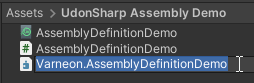](https://vrclibrary.com/wiki/uploads/images/gallery/2022-08/image-1661020045130.png)Right after creating the assembly, you may notice errors appearing in your console, this is because the assemblies of the scripts that our scripts are referencing, aren't defined in the assembly definition
[](https://vrclibrary.com/wiki/uploads/images/gallery/2022-08/image-1661020225203.png)Adding **UdonSharp.Runtime** assembly as a reference allows us to reference the scripts contained in that assembly from our own scripts
If you need to access common VRChat's classes, such as VRCPickup or UdonBehaviour, other common assemblies to reference are **VRC.Udon** and **VRC.SDK3**
**Disabling the option "Use GUIDs" is recommended, since the GUIDs may change over time**
[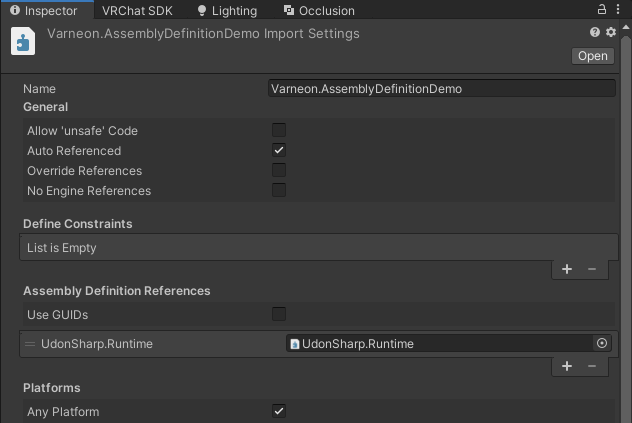](https://vrclibrary.com/wiki/uploads/images/gallery/2022-08/image-1661020467667.png)Right after clicking "Apply" on the assembly definition the scripts will attempt to compile, and you will most likely see the following error in the console. We will fix this next.
[](https://vrclibrary.com/wiki/uploads/images/gallery/2022-08/image-1661021023795.png)Make sure to name the U# Assembly Definition file identically to the main assembly definition's name!
[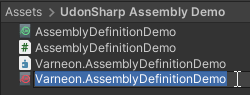](https://vrclibrary.com/wiki/uploads/images/gallery/2022-08/image-1661021161988.png)As the last step, assign the main assembly definition as the "Source Assembly" on the U# assembly definition
[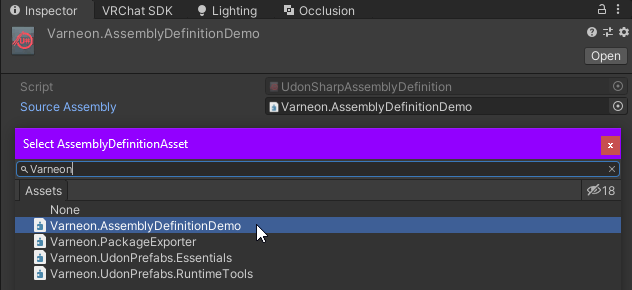](https://vrclibrary.com/wiki/uploads/images/gallery/2022-08/image-1661021296415.png)Now all of your UdonSharpBehaviours should compile successfully and you can continue the development
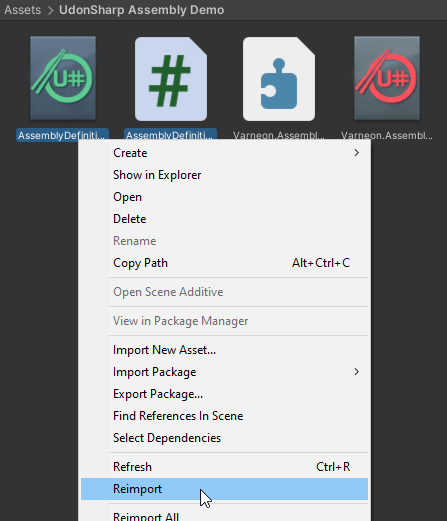
If UdonSharp still throws an error related to the scripts not being a part of a U# assembly, try reimporting the U# assets and scripts in the folder.
[](https://vrclibrary.com/wiki/uploads/images/gallery/2022-08/image-1661021928118.png)