# Texture Painting External Projections
In Blender, there's this pretty nifty feature that I quite literally learned about 10 minutes ago before writing this.
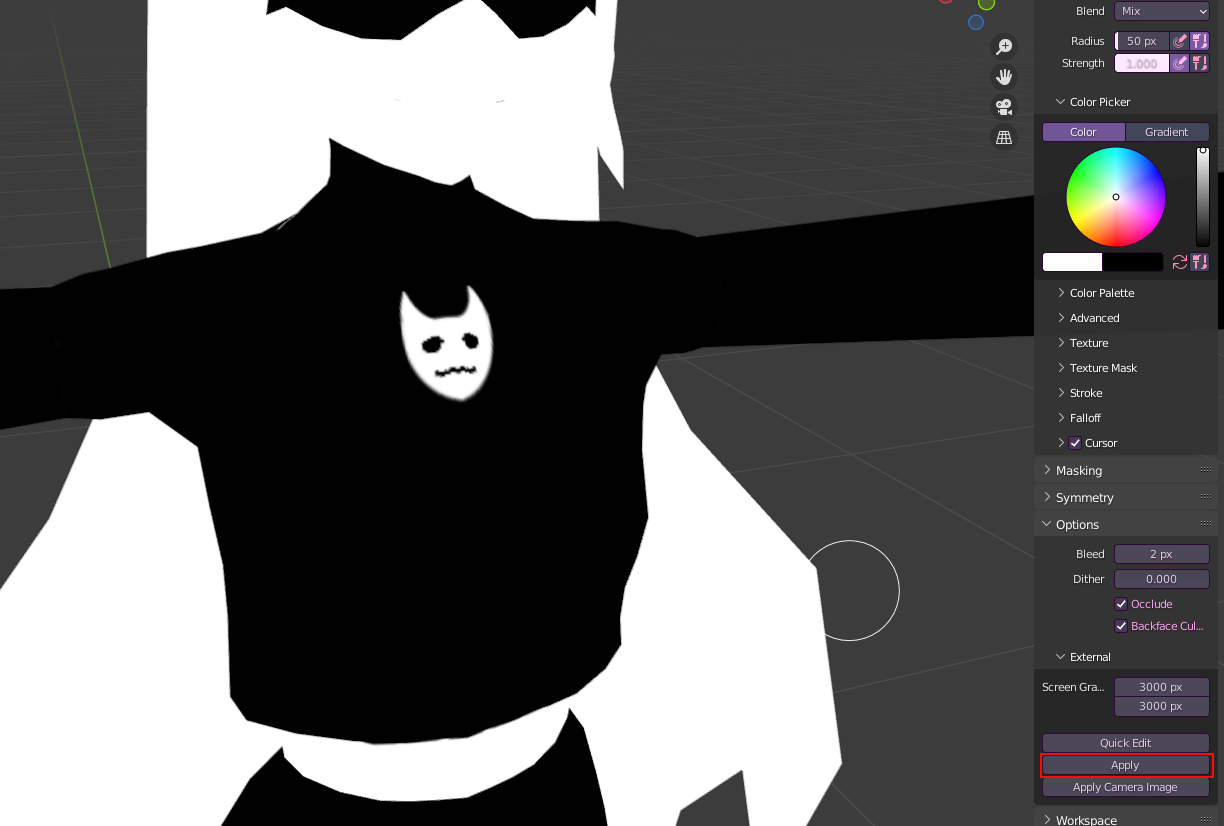
In **Texture Paint** mode, under the **Tools** tab, at the bottom under **Options**, there's an **"External"** tab with a few options. This right here will take a snapshot of your current view in your 3D Viewport and open it in your selected image editing software.
"How do I tell Blender which Image Editor to open?"
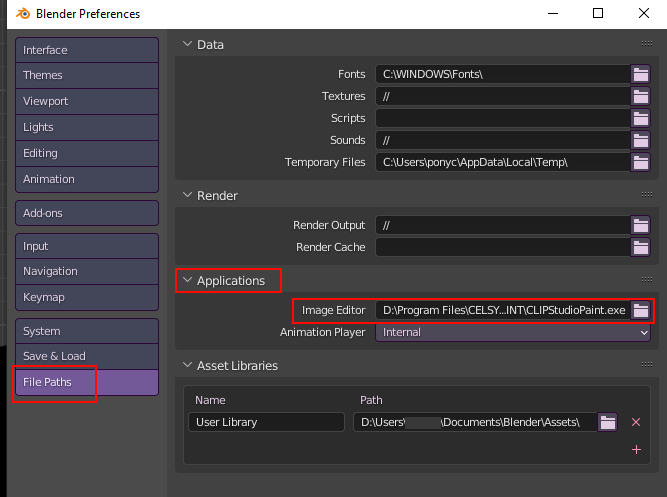
If you do not have an external image editor selected in Blender, go to your **Preferences>File Paths>Applications** and select the .exe of your preferred image editor.
[](https://vrclibrary.com/wiki/uploads/images/gallery/2022-04/image-1649970932720.png)
Overwrite the existing image or it won't work!
Once done, you hit "Apply" in Blender and the projection will be applied to your model!
[](https://vrclibrary.com/wiki/uploads/images/gallery/2022-04/image-1649971290548.png)
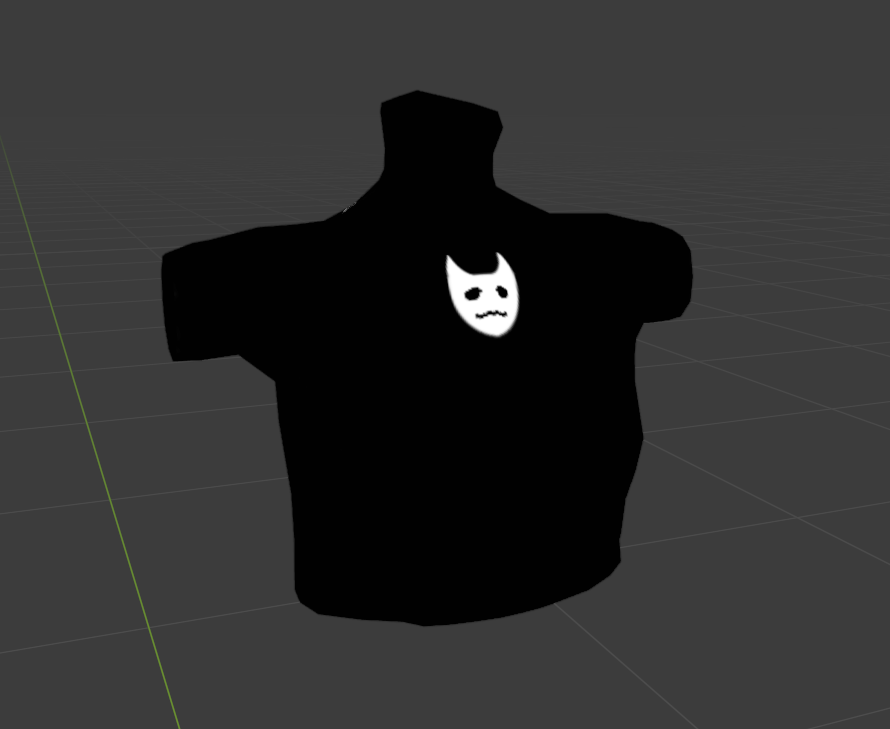
Although be warned the lower res your texture is the worse quality it'll come out. I reccommend segmenting the part you're working on like so to minimalize potential issues.
[](https://vrclibrary.com/wiki/uploads/images/gallery/2022-04/image-1649971389346.png)