Manual texture/material merging
Some tips on combining materials in case you want to optimize your avatar or are going to do a quest version
Merging materials
Let's take for example the situation where you need to combine four materials with square textures into one
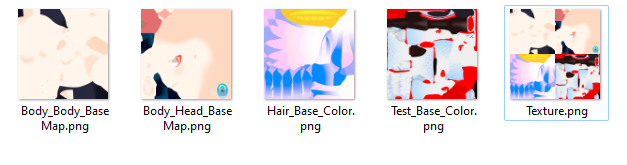
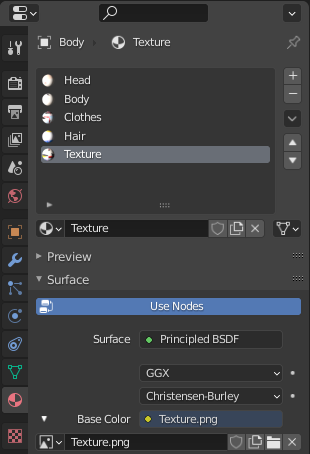
Create a new material and add a merged texture to it
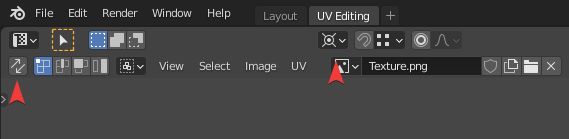
Create UV Editing tab, turn off UV Sync Selection and change Pivot to 2d cursor (make sure the cursor is in the lower left corner, if it is not, press "Shift+C" to return it to its original position)
Select the merged texture
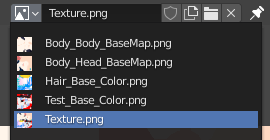
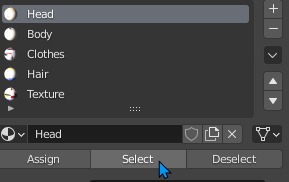
Select old material and press "Select"
In the UV editor select all vertices with button "A", then press "S" to scale, and write on the numpad "0.5" to halve it (If you don't have numpad you can use regular numbers or just hold "Ctrl")
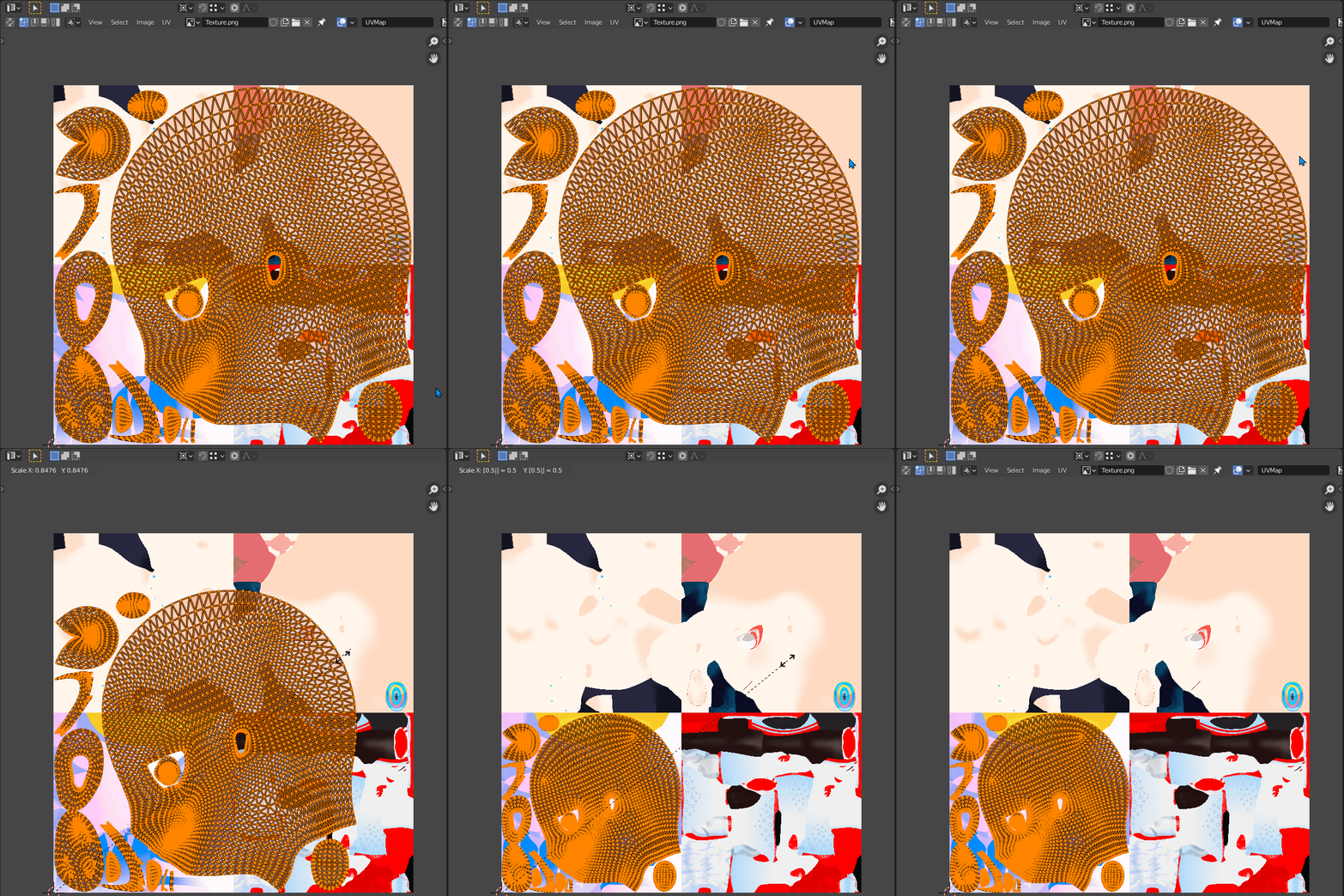
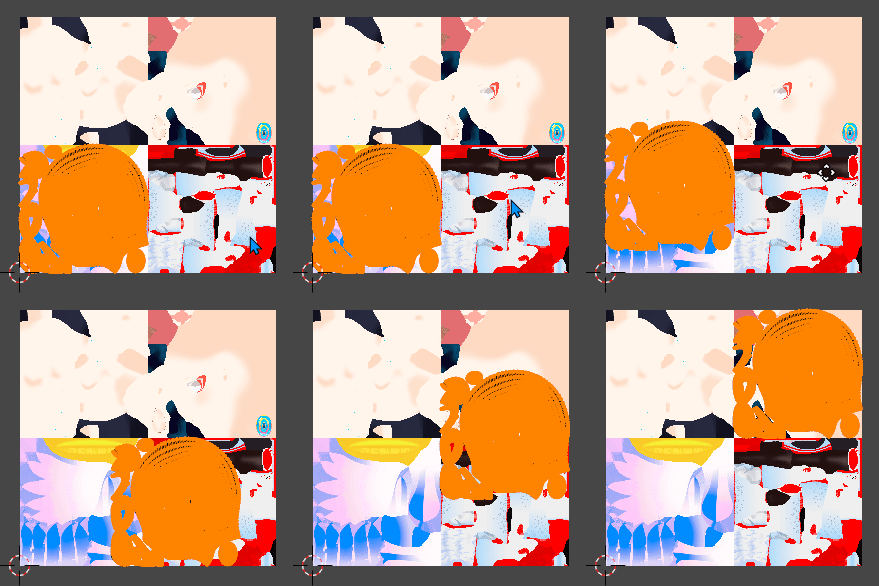
To move to the desired position, press "G" then "X" or "Y" (or middle mouse button) to move along the desired path, and also write 0.5 on the numpad for exact location. Repeat for all materials
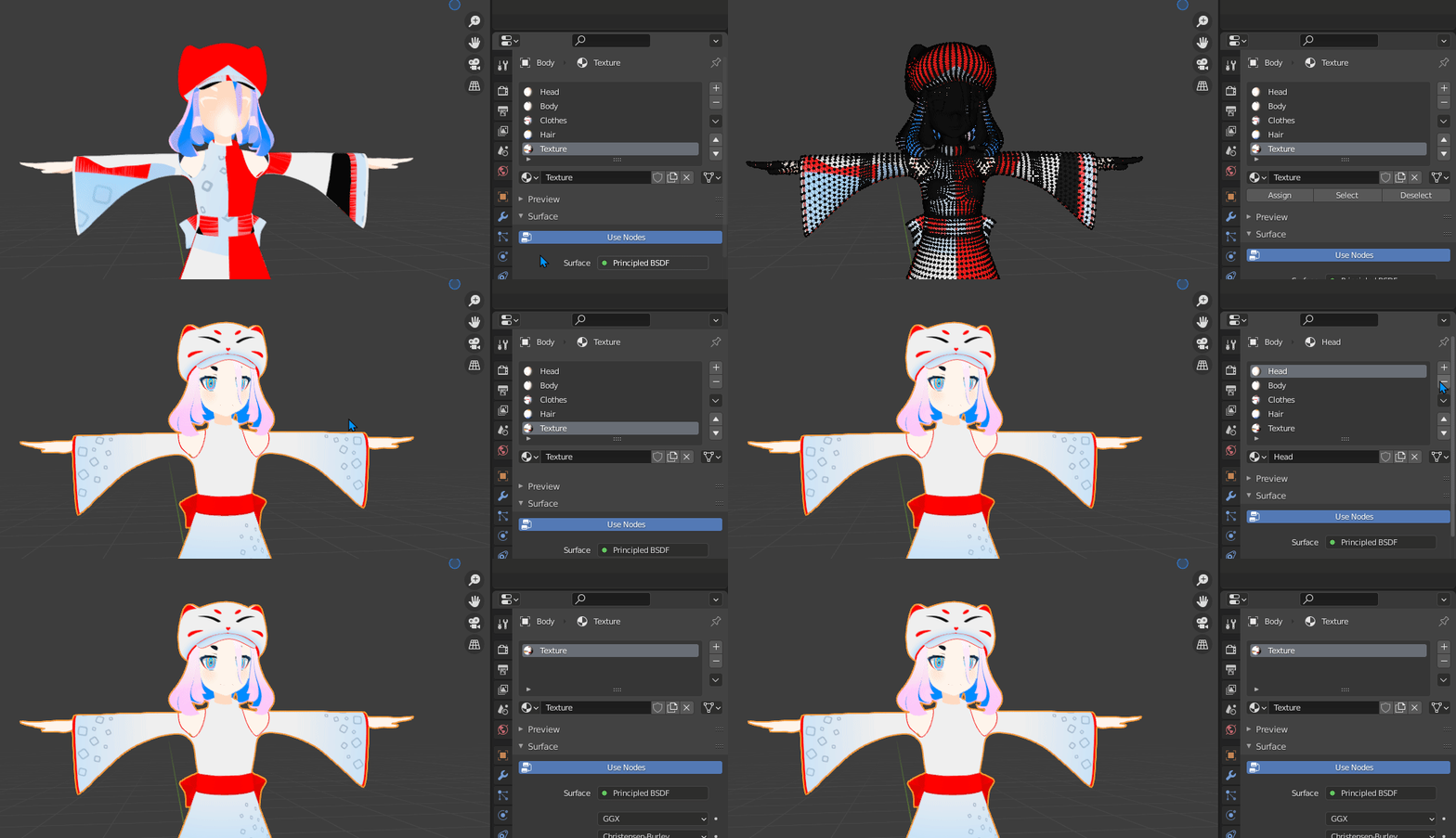
When everything is ready you can attach the materials to the new one. (In my case, I could just delete the old materials)
If you need to add any other little things
Select all and press UV>Export UV Layout
Set the size, transparency and select a save location


Now you can easily determine the free space for other textures. In the blender, the UV will need to be adjusted manually though