# Avatar SDK3.0 Troubleshooting - Common Errors/Issues
My avatar is turning into an eldritch being! Help!
# Importing issues
#### My character is HUGE but doesn't look huge in Blender!
- Make sure you've checked that, when exporting from Unity, you've scaled down your avatar and set the scale to FBX All:
[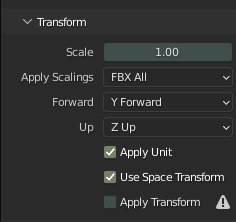](https://vrclibrary.com/wiki/uploads/images/gallery/2022-02/oxvtqdycha.png)
From there, you can check the approximate scale in Unity by adding a 1.5-unit tall cube (which is about ~5'8").
[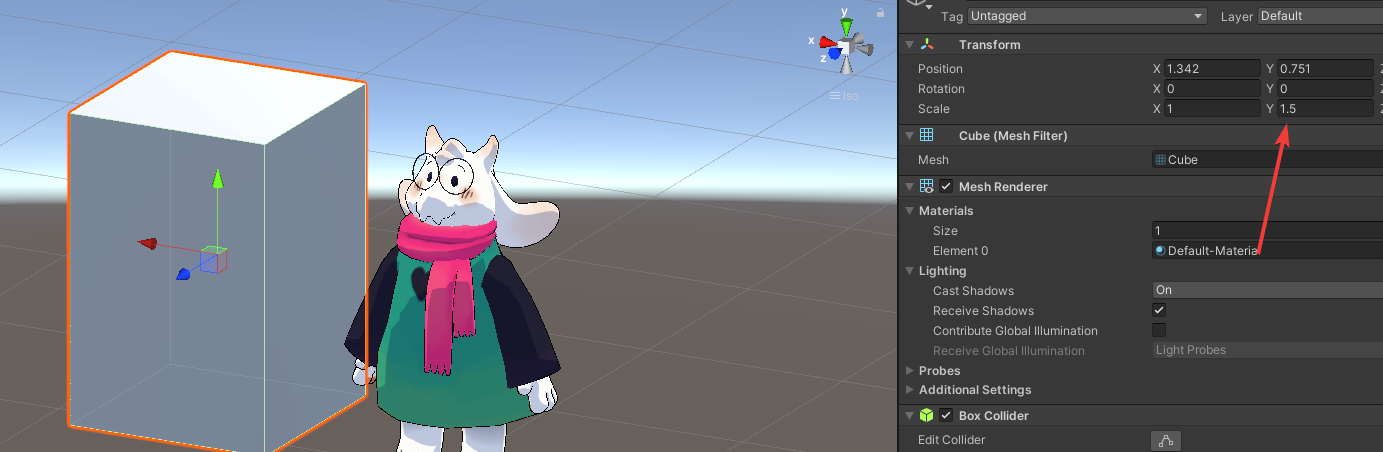](https://vrclibrary.com/wiki/uploads/images/gallery/2022-02/pmhjjbkare.png)
Alternatively, there's this excellent tool for Unity FBX exporting: [MACHIN3tools](https://machin3.gumroad.com/l/MACHIN3tools).
# Shapekey-related
#### My custom shapekeys (body shape, lipsync, etc) won't save properly / display ingame!
- If importing custom animations from Blender, make sure that they don't have junk keyframes assigned for shapekeys in the Animation panel.
- Make sure the body mesh selected for the visemes/blink is properly dragged-and-dropped from the hierarchy.
[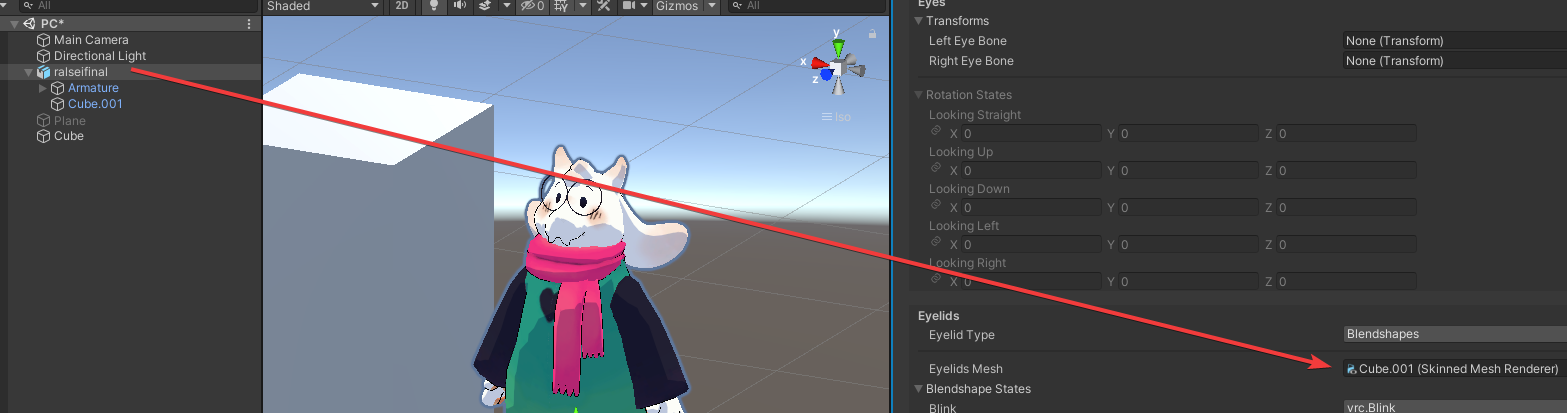](https://vrclibrary.com/wiki/uploads/images/gallery/2022-02/n732xt6xrc.png)
- When exporting from Blender, make sure that the geometry tab of the export settings looks like this, with Apply Modifier unchecked:
[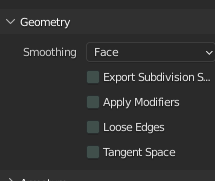](https://vrclibrary.com/wiki/uploads/images/gallery/2022-02/image-1645297182488.png)
- In the Animator panel for the gesture controller, if applicable, make sure that the weight is set to 1 and that the override is properly set (or in some cases not set):
[](https://vrclibrary.com/wiki/uploads/images/gallery/2022-02/image-1645297261854.png)
#### My lipsync isn't working / the mouth is frozen open!
- Check the section above and make sure 'Apply Modifiers' is unchecked in the FBX export settings in Blender.
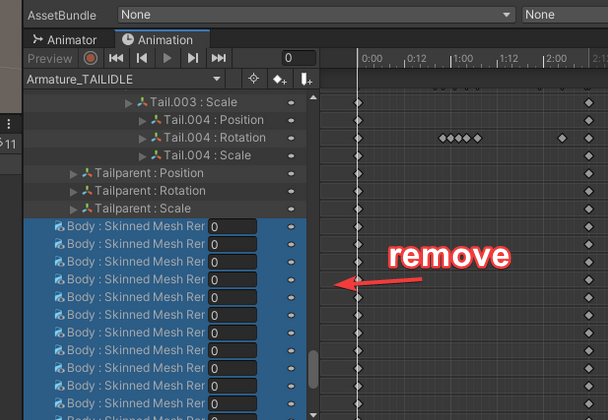
- Make sure all animations (idles like tail swishing or arms to the sides) exclude blendshapes. You can delete keyframes easy enough.
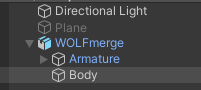
- Make sure when you set your body mesh that you are dragging from the hierarchy and NOT the assets section!
- The body should be labeled Body (case-sensitive).
- Idle anims (tail wagging) need Loop Anim (not pose!) and Write defaults enabled.
[](https://vrclibrary.com/wiki/uploads/images/gallery/2022-02/image-1645297572438.png)
- If you imported animations from Blender, duplicate them (after setting up avatar) and remove the shapekey frames.
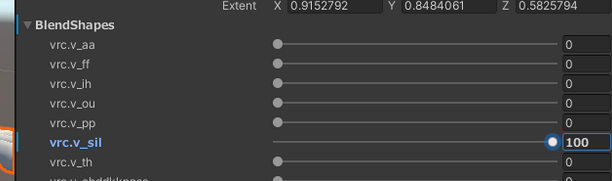
- If your character's mouth is open in T-Pose, make sure the 'sil' viseme is at 100 in the Body mesh settings.
[](https://vrclibrary.com/wiki/uploads/images/gallery/2022-02/image-1645297686192.png)
[](https://vrclibrary.com/wiki/uploads/images/gallery/2022-02/image-1645297761843.png)